
Cool VPN Pro: Secure VPN Proxy
coolvpn proTools
4.711.33K Reviews
- Version
- 1.0.443
- Installs
- 50.00M
- Age Rating
- Everyone
Screenshots
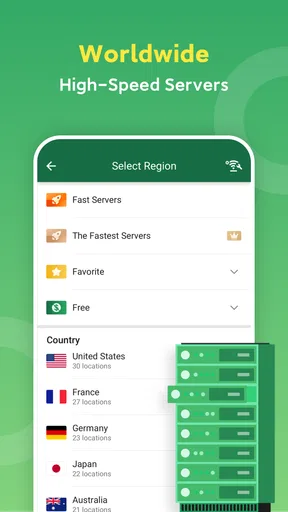
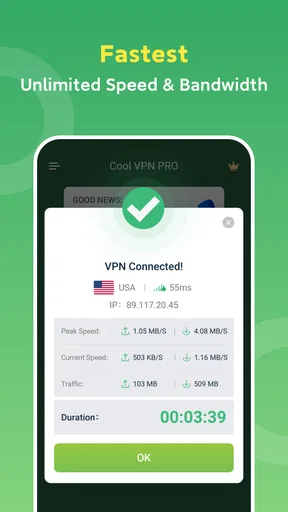

Our Review of Cool VPN Pro: Secure VPN Proxy
 Analysis by Appyee
I approached Cool VPN Pro: Secure VPN Proxy as a practical Android tool rather than as a magic privacy button. It is a free VPN app from coolvpn pro, aimed at people who want a quick way to route phone traffic through a proxy while chatting, watching video, or playing games. After using it in ordinary situations, my impression is that its appeal comes from simplicity: it is easy to understand, easy to try, and available on older Android phones.
The app sits in the Tools category and has built a substantial audience, with more than 50 million installs. Its average score is 4.7 from around 828,000 ratings, while the written feedback amounts to roughly 11,000 reviews. Those figures suggest that many people find the basic experience useful, but they do not remove the need to test it against your own network, location, and expectations.
How Cool VPN Pro feels in everyday use
The first thing I noticed is that the app is designed for a short path from opening the app to starting a VPN connection. That matters when you are on public Wi-Fi, trying to access a chat service, or simply checking whether a different route improves a stubborn connection. I did not feel that I needed to understand networking terminology before using it.
A realistic example is a coffee-shop visit where I need to check messages or sign in to an account while using shared Wi-Fi. I can open the app, connect before doing anything sensitive, and disconnect when I leave. That workflow is more useful than leaving a VPN active all day without thinking about battery, speed, or whether I still need it.
The same straightforward approach suits video and gaming, but the result depends heavily on the server route and the quality of the original connection. A VPN can sometimes avoid a poor route between my phone and an online service, yet it can also add distance and delay. I would therefore treat the gaming claim as a possibility, not a guarantee. For a fast competitive match, I would test the connection before relying on it.
For messaging, the app is easier to recommend. Chat sessions usually benefit more from a stable connection than from the lowest possible latency, and a quick proxy connection can be convenient when a network behaves unpredictably. I still would not assume that a VPN makes every conversation private in every sense. It protects the route between the device and the VPN service, but account security, app encryption, and the trustworthiness of the VPN provider remain important.
One practical habit improved my experience: I connected before opening the service I wanted to use, rather than starting a session halfway through. Some apps hold on to an existing network path, so reconnecting them after the VPN is active can prevent confusing behavior. This is a small step, but it avoids blaming Cool VPN Pro when the other app simply has not refreshed its connection.
What the current version tells me
The current release is version 1.0.443, and the app supports Android 6.0 or later. That broad compatibility is valuable for users with older phones who may not be able to install newer privacy tools. It also makes the app relevant to spare devices, budget handsets, and phones kept for travel or secondary communication.
Its release history begins on April 30, 2021, so this is not a brand-new experiment. The large install base and long availability indicate that the app has had time to settle into its role as a simple VPN utility. I see the current version as an evolution of that focused approach rather than a move toward a complicated security suite.
That distinction is important. I would not choose this app expecting password management, antivirus scanning, detailed network diagnostics, or a full privacy dashboard. Its value is narrower: it gives me a convenient VPN-style connection from an Android phone. A narrow tool can be a strength when I want one job done without a crowded interface.
At the same time, version numbers alone do not tell me how much a release changes the experience. I would judge an update by whether connection reliability, reconnection behavior, battery use, and compatibility improve on my particular phone. After updating, I would run the same small checks I use every time: connect on mobile data, connect on Wi-Fi, open a chat app, play a short video, and disconnect cleanly.
Changes and what they mean for established users
For someone already using the app, the most important question is not whether the number beside the version has changed. It is whether daily actions remain predictable. Existing users should pay attention to how quickly the connection starts, whether it stays active when the screen turns off, and whether other apps recover normally after disconnection.
I recommend keeping a simple personal baseline before deciding that an update helped. Note how long a familiar website takes to load, whether a video begins without repeated buffering, and whether a game remains playable for a short session. This is not a laboratory test, but it is more meaningful than comparing two unrelated speed-test results taken on different networks.
A useful trade-off appears when switching between Wi-Fi and mobile data. A VPN connection that works well at home may behave differently on a crowded public network, and changing networks can interrupt an active tunnel. If I am moving between them, I prefer to disconnect deliberately, switch networks, and reconnect rather than continue with a connection that may be stale.
Another overlooked point is location-sensitive content. A VPN may change the apparent network location, but streaming services, banking apps, and websites can apply their own rules. If a service refuses to load while the VPN is active, I first disconnect and test again before assuming the phone or account is broken. For banking and other high-stakes tasks, I usually prefer my normal trusted connection unless I specifically need the VPN.
People who have used the app for a long time may also want to review their subscription choices after an update. The app is free to install and use, but it includes in-app purchases ranging from $0.99 to $94.99 per item. I would not buy anything simply because a connection feels slow on one afternoon. First I would check the Wi-Fi, compare mobile data, try reconnecting, and decide whether the paid option solves a problem I actually have.
Where it fits beside ordinary alternatives
The most obvious alternative is using no VPN at all. That is perfectly reasonable on a trusted home network for routine browsing, especially when I want maximum speed and minimum battery impact. Cool VPN Pro becomes more attractive when I am using shared Wi-Fi, troubleshooting a route, or looking for a quick privacy layer without configuring a VPN manually.
Another alternative is a browser-only proxy or privacy feature. That can be enough if my concern is limited to web browsing, while a device-level VPN app is more convenient when I want several apps to use the same connection. The broader reach is also why I would be more careful with it: a VPN can affect chat, video, games, shopping, and banking at the same time.
Power users may prefer a service with extensive server selection, protocol controls, transparent connection diagnostics, and clearly presented privacy documentation. Those controls can be worth the extra complexity when I need to troubleshoot a particular route or manage work across several countries. Cool VPN Pro is better suited to someone who values a quick connection over fine-grained configuration.
I also would not confuse a VPN with anonymity. It can hide my traffic from some observers on the local network, but the VPN provider becomes an important part of the trust chain. Websites can still identify me through accounts, cookies, device signals, or browser settings. For that reason, I use the app as one privacy measure, not as permission to share sensitive information carelessly.
Small workflows that make it more useful
My preferred routine is to connect only when I have a reason. On public Wi-Fi, I connect before signing in. For a video that keeps buffering, I compare the normal connection with a short VPN session and keep whichever is more stable. For gaming, I test in a low-stakes match first, because reducing one routing problem is not worth introducing extra latency.
I also keep an eye on the phone after connecting. If the device becomes warm, the battery drops faster than usual, or notifications arrive late, I disconnect and compare. Those symptoms can come from the network or another app, but a VPN adds another active service, so it is sensible to identify whether the change appears only while the connection is running.
When an app behaves strangely after disconnecting, I close and reopen that app before changing settings. Some services cache network state, and a fresh launch is often quicker than repeatedly tapping connect and disconnect. This is especially helpful with video apps and games that were already open before the VPN started.
For travel, I would install and test the app before leaving home rather than waiting until I am standing in an airport or hotel lobby. That gives me time to learn the connection flow, check whether my essential apps work normally, and decide whether the battery trade-off is acceptable. A VPN that has never been tested on my phone is not a dependable emergency plan.
Limitations I would take seriously
The main limitation is that speed and stability are not entirely controlled by the app. They depend on the local network, the selected route, congestion, distance, and the service I am accessing. “Unlimited” in a product description does not mean unlimited performance; a connection can remain available while still being slower or less responsive at busy times.
There is also a privacy judgment that every user must make. I want clear confidence in the company operating any VPN because my traffic is being routed through its infrastructure. The developer is coolvpn pro, and I would read the app’s current privacy and permission information carefully before using it for sensitive work. I would also keep normal account protections enabled, including strong passwords and two-factor authentication where available.
The free entry point is convenient, but in-app purchase pricing means the experience may include decisions about upgrades or paid access. I prefer to explore the free experience first and understand exactly what changes before paying. A purchase is easier to justify for regular travel or repeated network problems than for occasional browsing on a trusted connection.
Compatibility with Android 6.0 or later is a clear advantage for older devices, but older hardware may still have limited memory, weaker radios, or batteries that are already worn. If the phone struggles with ordinary multitasking, adding a persistent VPN service may make that more noticeable. In that situation, I would use it only when needed rather than leaving it connected continuously.
Who should use it, and who should skip it
I would recommend Cool VPN Pro to an Android user who wants a low-friction VPN tool for public Wi-Fi, occasional travel, messaging, or testing whether a different route improves video and gaming. It is particularly approachable for someone who does not want to learn manual VPN configuration and for anyone using a phone that still runs Android 6.0 or a newer compatible release.
I would be more cautious about recommending it as the sole solution for professional privacy, sensitive research, or a business workflow that requires detailed control and auditability. Those users may be better served by a provider with stronger documentation, administrative features, and troubleshooting tools. I would also skip it if my only goal is maximum speed on a reliable home connection, since adding a VPN layer may provide no benefit there.
Families should remember that the content rating is Everyone, but that does not turn the app into parental-control software. It is a connection tool, not a replacement for supervising accounts, managing screen time, or teaching children not to share personal information. The age label makes installation broadly accessible, while responsible use still depends on the person holding the device.
What I would watch in future use
My first priority would be consistency across different networks. A useful update would be one that makes transitions between Wi-Fi and mobile data less disruptive, reconnects sensibly after brief signal loss, and leaves other apps in a clean state after disconnecting. Those changes would matter more to me than a cosmetic redesign.
I would also watch how clearly the app explains connection status and any paid choices. A VPN should make it obvious when protection is active, when it has stopped, and what the user is being asked to purchase. Clear feedback reduces the risk of assuming I am protected when the connection has actually dropped.
Finally, I would continue checking the app’s privacy information and behavior over time. A VPN earns trust through consistent handling of data, sensible permissions, and honest communication about what the connection does. I would not treat a high rating or a large install count as a substitute for that ongoing judgment.
My final view is favorable but measured. Cool VPN Pro is a convenient free tool with a simple purpose, broad Android compatibility, and a strong public reception. I like it most as an on-demand option for shared networks and everyday connection troubleshooting, not as an all-purpose anonymity system. If you keep expectations realistic, test it on your own networks, and disconnect when you do not need it, it can be a practical addition to an Android phone rather than another app running without a clear reason.
Verdict
Strengths of Cool VPN Pro: Secure VPN Proxy
- Simple one-tap connection for quick protection
- Supports multiple server locations for flexible access
- Encrypts traffic on public Wi-Fi networks
- Clean interface is easy for beginners to navigate
- Useful for accessing content while traveling abroad
Limitations of Cool VPN Pro: Secure VPN Proxy
- Connection speeds may vary between server locations
- Free access may include ads or usage restrictions
- Some servers can become crowded during peak hours
- VPN use may increase battery consumption slightly
- Privacy details depend on the provider’s logging policy
Similar Picks in This Category
View All
Google LLC4.0

Gboard - the Google Keyboard
Google LLC4.5

Google Play services
Google LLC4.3

Google Play Store
Google LLC4.9

Files by Google
Google LLC4.5

SHAREit: Transfer, Share Files
Smart Media4U Technology Pte.Ltd.4.3
Frequently Asked Questions
What is Cool VPN Pro: Secure VPN Proxy used for?
Cool VPN Pro: Secure VPN Proxy is designed to create an encrypted connection between your device and the internet. In practical use, it can help protect data on public Wi-Fi, hide your regular IP address from websites, and provide access to online services that may be restricted by network or regional settings. It should be viewed as a privacy and connectivity tool, not as complete anonymity or a replacement for safe browsing habits.
Does Cool VPN Pro: Secure VPN Proxy keep my online activity private?
A VPN can prevent your internet provider or people on the same unsecured network from easily viewing the contents of your connection, but the VPN provider may still be able to process connection or usage information depending on its privacy policy. Before installing, review the app’s data collection practices, logging policy, permissions, and any third-party sharing details. Avoid assuming that a VPN automatically makes every online activity anonymous.
Is Cool VPN Pro: Secure VPN Proxy free to download and use?
The app may be available to download without an upfront charge, but VPN applications commonly include advertisements, optional subscriptions, limits on server access, connection restrictions, or in-app purchases. The exact features available can depend on the current version, country, and platform. Check the store listing carefully before starting a trial or subscription, especially for renewal terms and cancellation requirements.
Can I use Cool VPN Pro: Secure VPN Proxy for streaming, gaming, or downloading?
You may be able to use Cool VPN Pro for everyday browsing, streaming, gaming, and downloads, but performance can vary considerably. VPN encryption and server distance can increase latency, reduce speed, or cause buffering. Some streaming platforms and online games also detect and block VPN addresses. For the best results, choose a nearby server, compare connection speeds, and check the service rules of the platform you plan to use.
What permissions and device requirements does the app need?
Like most VPN clients, Cool VPN Pro must request permission to create and manage a VPN connection on your Android or iOS device. It may also request permissions related to notifications or advertising, depending on the version. Review every permission prompt rather than accepting automatically. Keep the operating system updated, install the app only from an official store, and confirm that your device meets the listed compatibility requirements before downloading.
